1
Designs that look like your business
I design your QR cards, table signs and staff badges around the brand you already have: your logo, your colours, your style. They look like they belong on your counter, not like a sticker from a printer shop.

LinQR
Managed Reviews
Everyone on your team gets their own QR code. A customer scans it, gets a head start on a review that mentions who looked after them, puts it in their own words and posts it on Google.
I set the whole thing up for you. After that it's yours to run from a simple dashboard.

Built and run by Alec in the UK. Who's Alec?
Try it on your own business
About two minutes. You make your own QR code, scan it like a customer would, and see exactly what you'd get and what it costs. No payment details, no obligation.
You
Your email, your name and your business.
Your QR code
Your type of place, your team, your review sites.
The scan
Be your own customer for thirty seconds.
Your plan
Why now, what you want most, how fast.
What you get
The full setup and price, then send it to Alec.
What you get
Nothing for your customers to download and nothing technical for your team to learn.
I design your QR cards, table signs and staff badges around the brand you already have: your logo, your colours, your style. They look like they belong on your counter, not like a sticker from a printer shop.
Most people want to help but don’t know what to write. Each customer gets a short, ready-written review that mentions your business and the person who served them. They keep it, tweak it or rewrite it completely. It’s always their words in the end.
One button copies the review. The next opens your Google review box straight away, so nobody has to search for you. They paste, choose their own stars and post. It takes about 30 seconds. Facebook and TripAdvisor work too.
Your dashboard shows how many scans and reviews you got this month compared with last month, which staff member each one came from, and whose code was scanned most: your staff member of the month. Great for a shout-out in the team chat.
The problem
The Corner Café
3.2
Based on 11 reviews
Plenty of happy customers walk through the door, but almost none of them leave a review.
Last review: 4 months ago
For your customers
Scan the code
It sits on the counter, the mirror, the table or a card in their hand. Each code belongs to a named member of your team.
Get a head start
A short review appears that mentions your business and the person who served them. It reads differently every time.
Make it theirs and post it
They change the wording, choose their own star rating and post it from their own Google, Facebook or TripAdvisor account. Usually in under 30 seconds.
For you
Other QR tools give you a code and leave you to it. I build your whole setup, then hand it over in a state you can look after yourself without any technical know-how.
Tell me about your business
Fill in the enquiry form or book a 10-minute call. I need your logo, your staff names and where you want reviews to go.
I build it
A branded QR code for each person, review wording that sounds like your place, your Google page connected and cards ready to print. Most businesses are live within 48 hours.
See a live demo →You run it
From your dashboard you can add a new starter, remove a leaver, change the review wording and see whose code gets scanned most. Or just message me and I'll do it.
Works well for barbers, cafés, gyms, salons, tattoo studios, hotels and anywhere else your staff deal with customers face to face.
What else it can do: the same dashboard can make QR codes for payments, menus or any other link. Ask me about it on a call.
Real examples
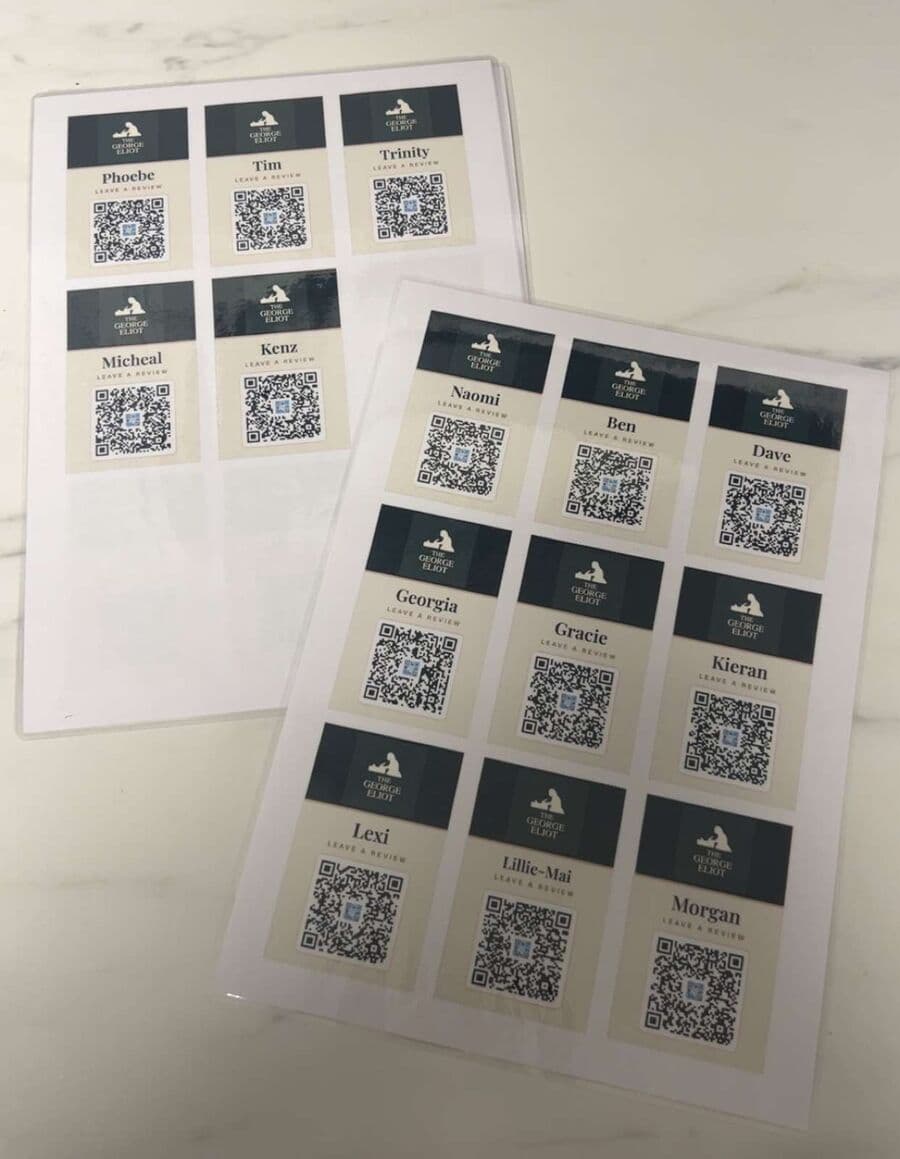
These are the printed cards for The George Eliot. Each one carries the pub's branding and a team member's name, so every review that comes in is credited to the right person.
Client designs
No templates with your logo dropped in. Every client gets review pages and print designs built from their own brand. These are live designs for a tattoo studio, a massage therapist and a pub.
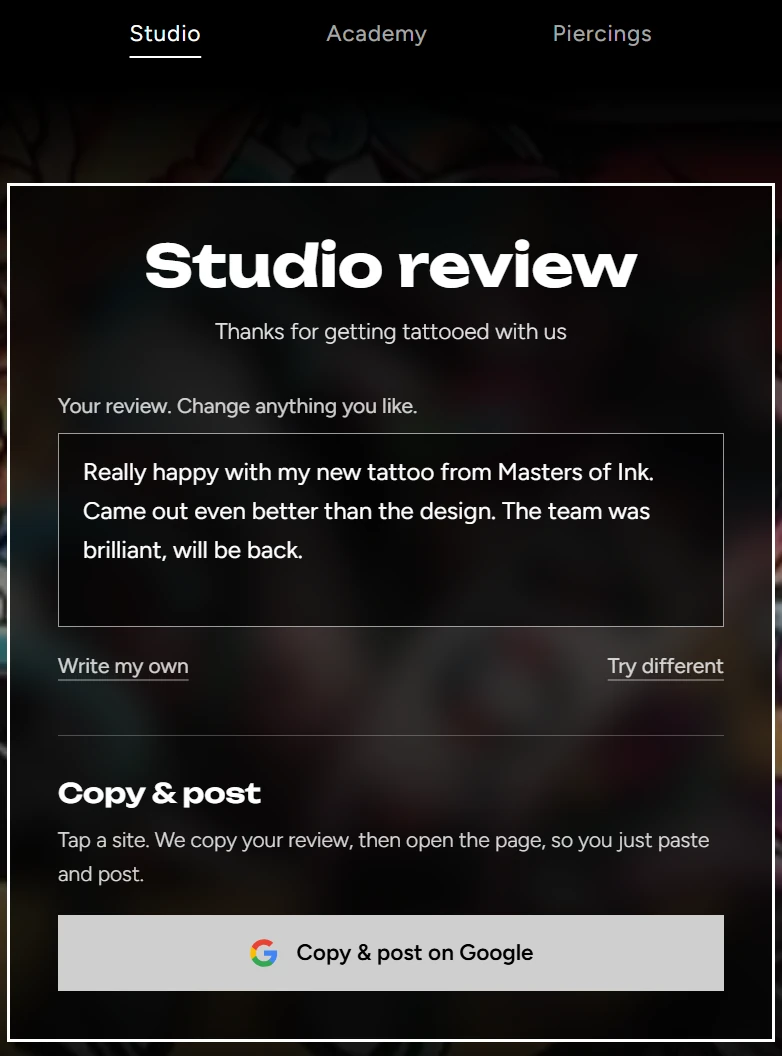
Masters of Ink · Review page
Bold and black to suit a tattoo studio, with separate review pages for the Studio, Academy and Piercings.
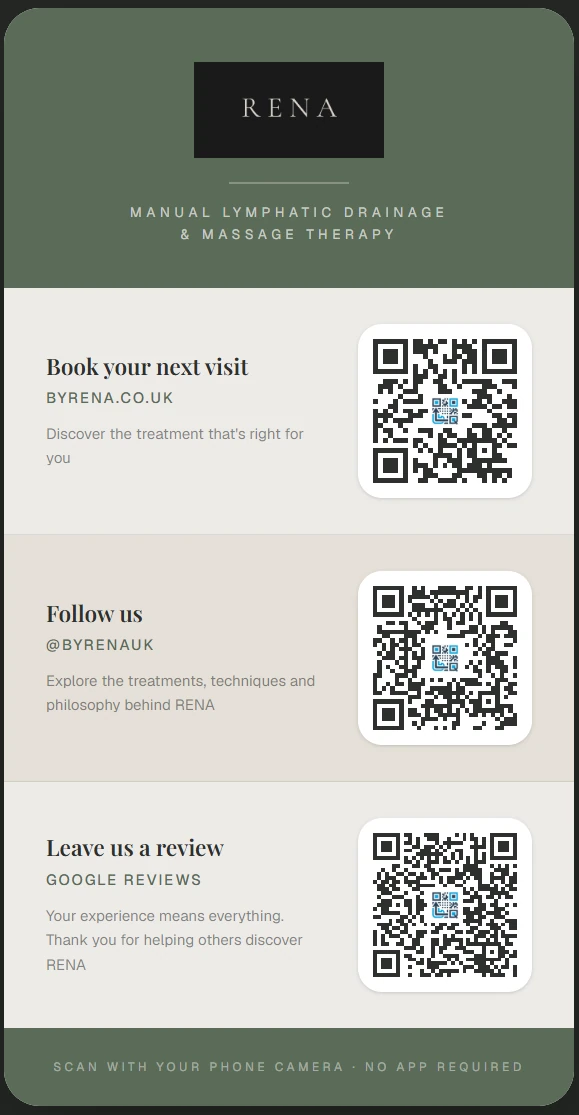
RENA · Printed card
One card, three jobs: book the next visit, follow on Instagram and leave a Google review.
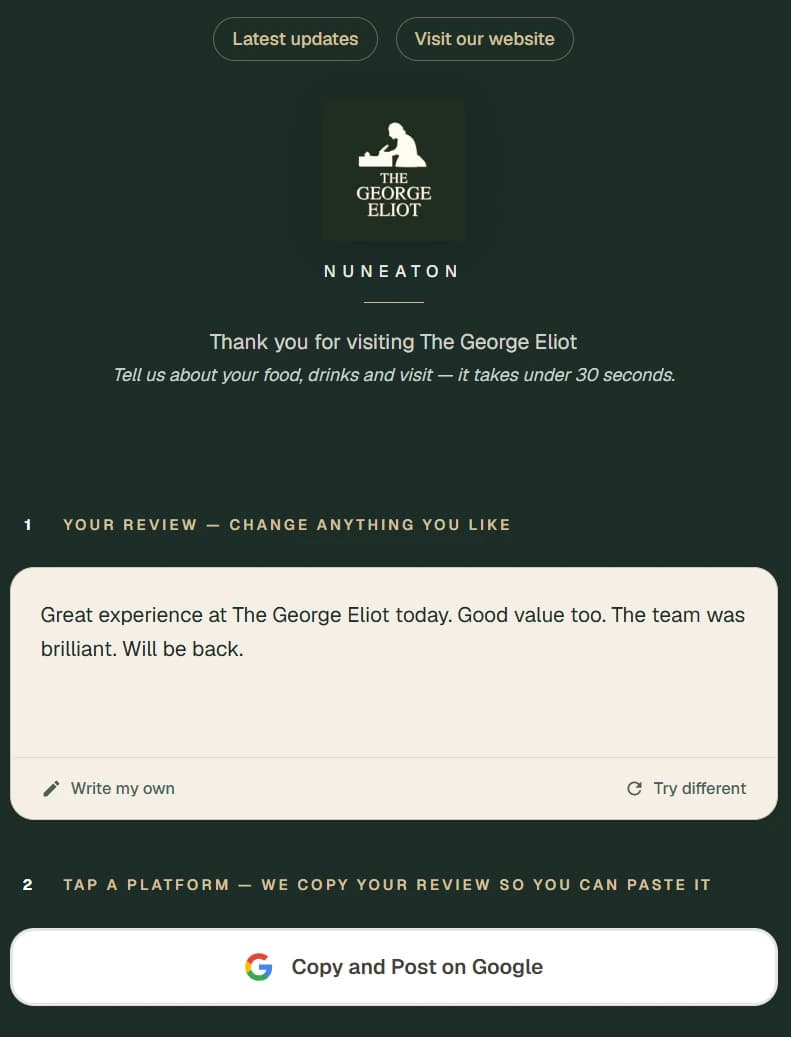
The George Eliot · Review page
Pub greens and cream to match the staff cards. The review is written and ready the moment the page opens.
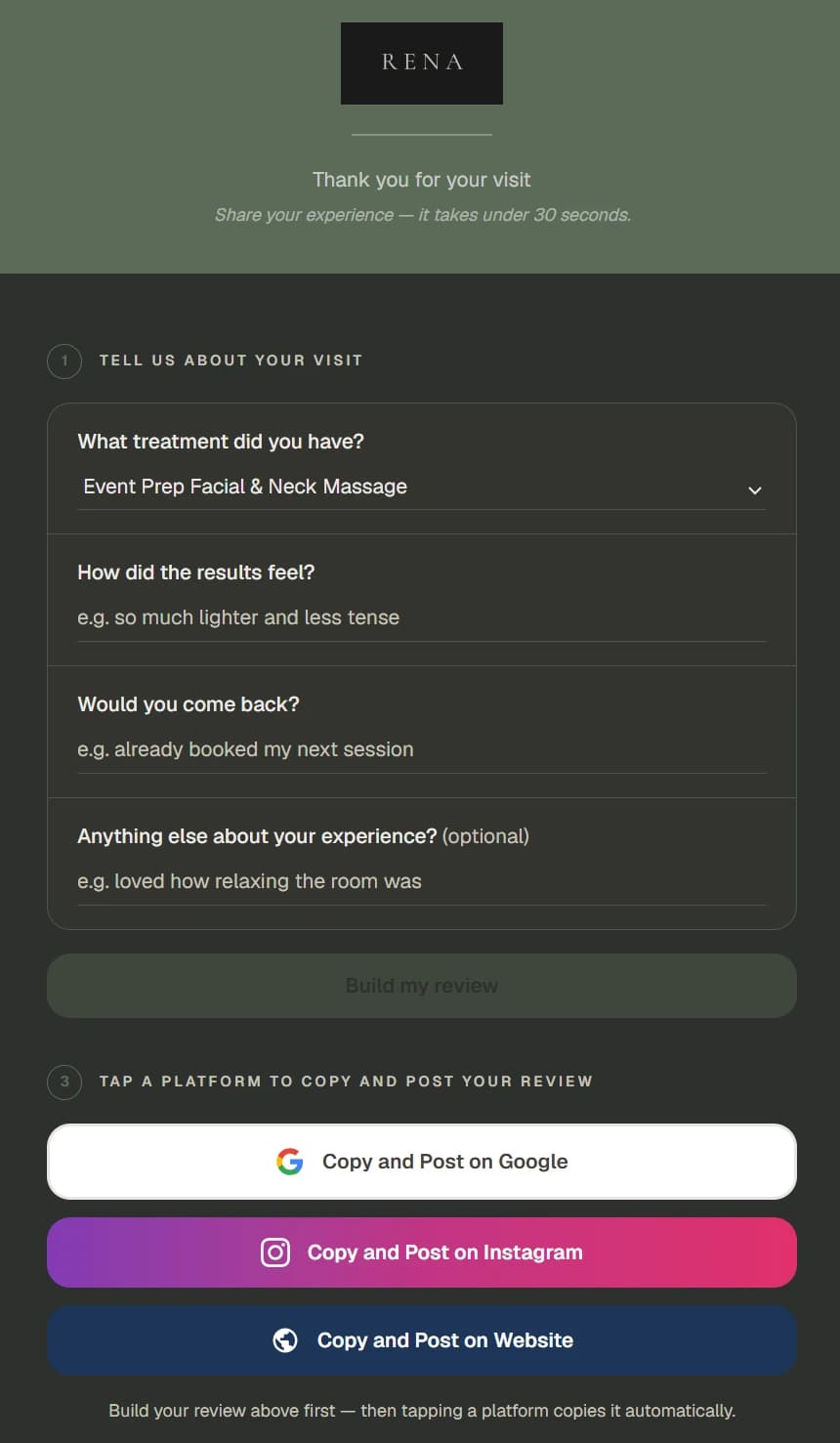
RENA · Review page
Guests pick their treatment and answer a few quick questions, then post to Google, Instagram or the RENA website.
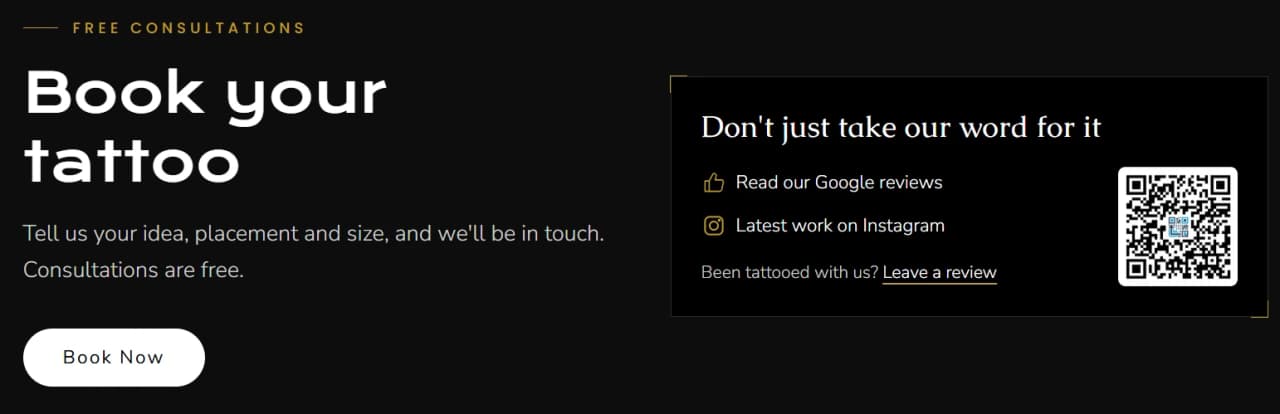
Masters of Ink · Website panel
A review QR panel on their own booking page, next to links to their Google reviews and Instagram.
Early results
LinQR is currently used by 4 stores. Stats will be updated as results come in.

Built and run by Alec in the UK
LinQR is just me. I'm a developer based in the UK, and I build, set up and support every account myself. There's no sales team and no call centre.
I started it after watching small businesses either pay for review software they barely used, or stick a plain QR code by the till and hope. I wanted something a barber or a café owner could have running in a couple of days and then forget about.
If you get in touch, you're talking to the person who'll build your setup and fix it if anything goes wrong.
Message @alecarcher on WhatsApp
More about me →Pricing
That's under 50p a day.
Reviews are what new customers read before they choose you. I set everything up for you, your team starts collecting reviews that name them, and you watch the results on your dashboard. On Growth that works out at less than a pound a week per staff member. No contract, no setup fee, and your money back within 30 days if it isn't for you.
Starter
Everything you need to start winning reviews
£14.99a month
About £5.00 per staff member a month
For a small team, like a barber with a couple of chairs or a local café.
Growth
Best value per staff member
£29.99a month
About £3.00 per staff member a month
For busier places with more staff, like a gym or a restaurant.
Enterprise
No limits on staff, sites or codes
£44.99a month
Under £1.48 a day, however big your team gets
For one busy venue with a big team, like a hotel, where you don't want to count codes.
Included in every plan
Risk-free for 30 days.If it isn't for you, email me and I'll cancel and refund what you've paid.
FAQs
A few things people often ask before getting started.
I'll come back with what I'd set up for you and a mock-up of how it could look.
Book a 10-min callMessage @alecarcher on WhatsApp
or scan to enquire on your phone
Step 1 of 3
Prefer the full form? Open it on its own page →
Subscription plans include a 30-day money-back guarantee if you are not happy. One-off setup work is covered separately in our Terms.